User guide › Permissions & access
The two systems
| System | Answers | Where |
|---|---|---|
| Entity permissions | Which records can this person see and change? | Members & Permissions → Access |
| Module access | Which apps can this person open, and what may they do in them? | Module Access |
They don’t substitute for one another. Giving someone access to the POS app doesn’t give them permission to read Customers, and vice versa. Most access problems come down to having set one and not the other.
An admin has full access to everything and won’t appear in these matrices — you’ll see a note saying as much. If someone can see more than you expect, check whether they’re an admin before hunting through grants.
Roles
A role is a named group of people — “Sales Head”, “Support”, “Warehouse”. Roles carry no permissions in themselves; they’re a label you then grant access to, so you can set up “what Support can do” once rather than per person.
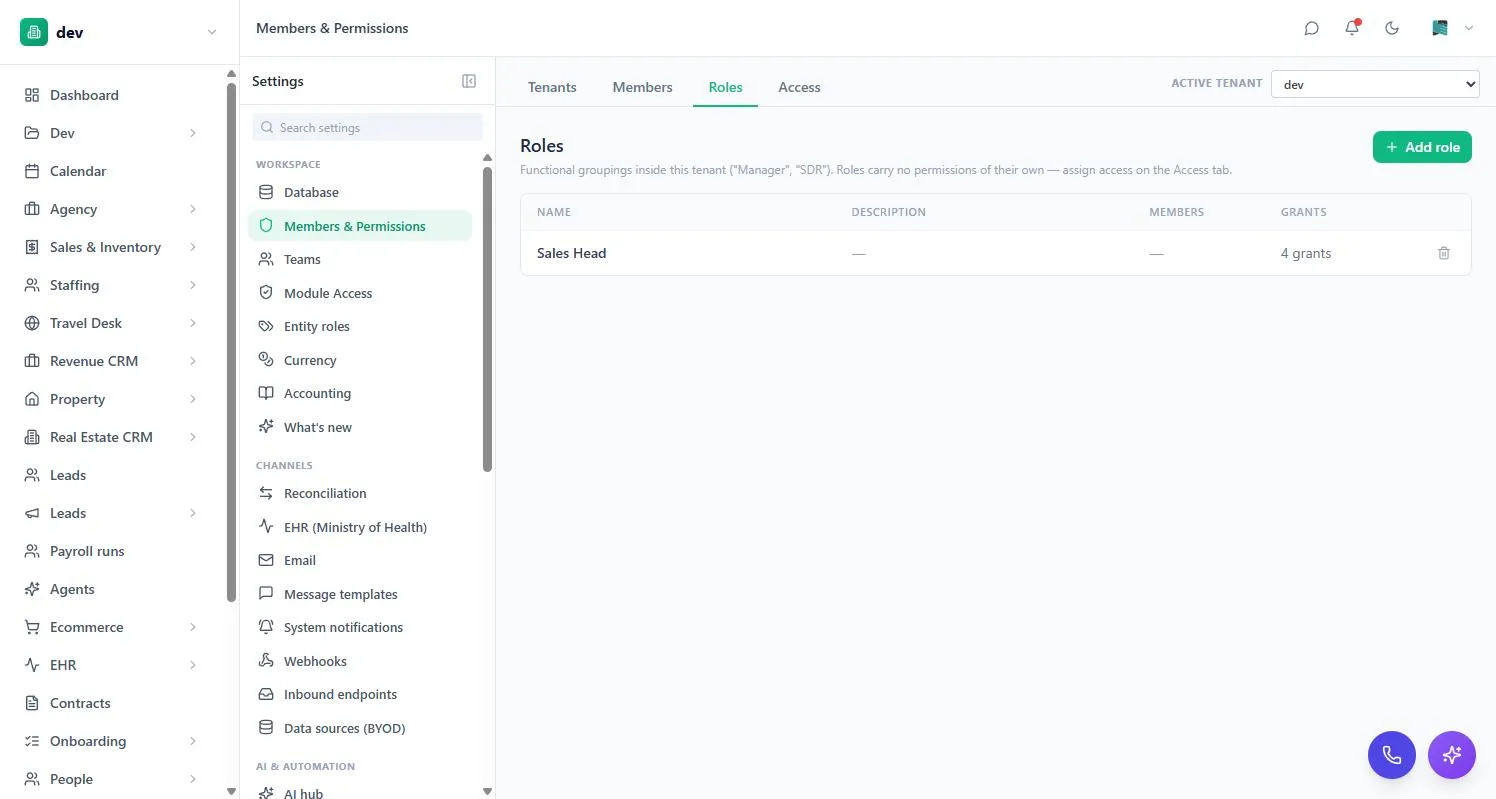
Grant to roles rather than individuals wherever you can. When someone joins, changes job or leaves, you move them between roles instead of auditing every entity.
Record permissions
The Access tab is a matrix: pick an entity on the left, then set each role and person’s level.
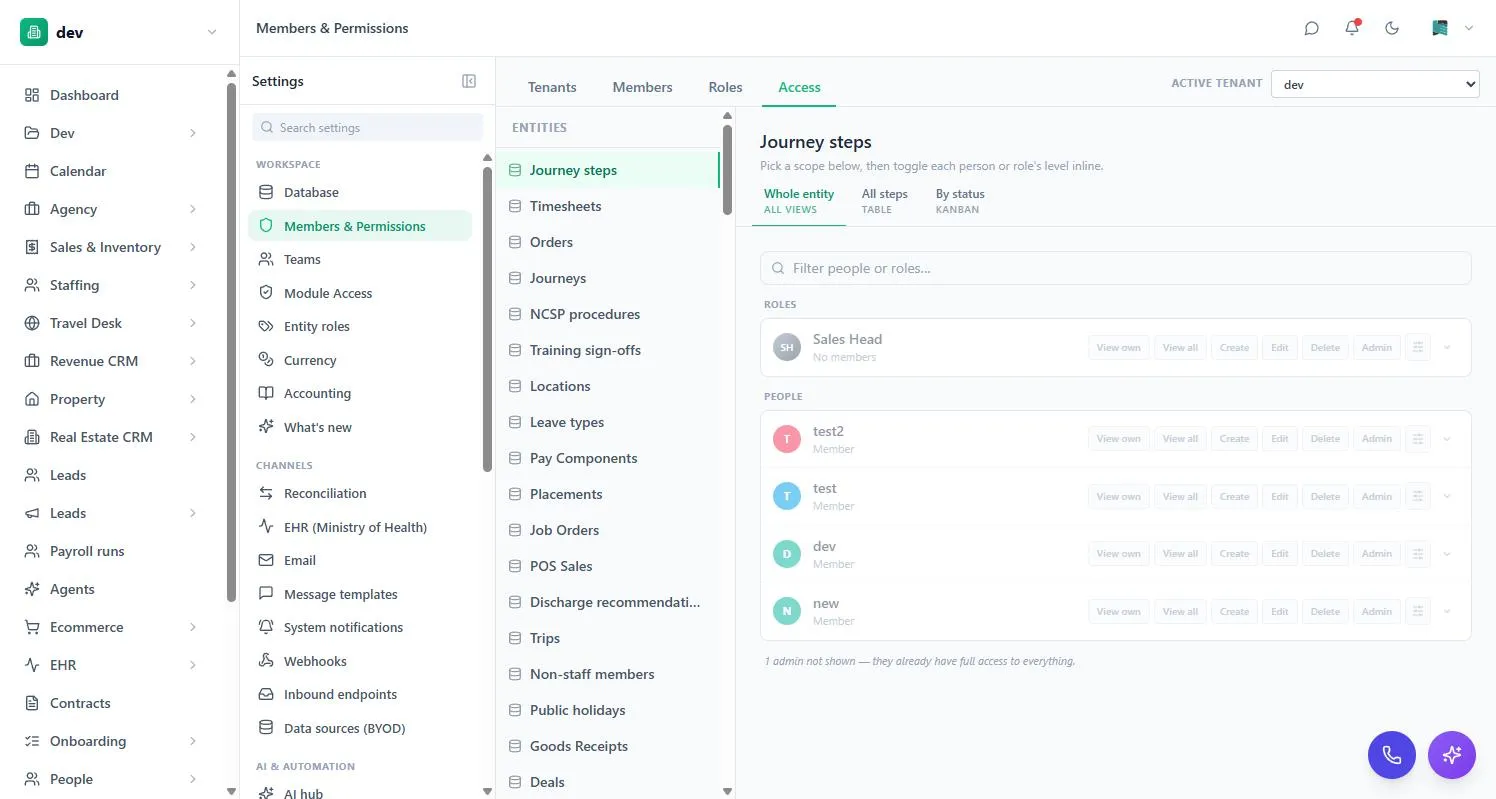
| Level | Means |
|---|---|
| View own | See only records they own. The usual starting point for a personal pipeline. |
| View all | See every record in the entity. |
| Create | Add new records. |
| Edit | Change existing records. |
| Delete | Remove records. Deliberately separate from Edit. |
| Admin | Full control of that entity, including its structure. |
The levels combine, so “View own + Create + Edit” is a common shape: someone who manages their own work but can’t see anyone else’s. A grant can also be scoped to a particular view rather than the whole entity — useful for exposing one filtered slice without opening up everything.
Ownership
“View own” needs the system to know who owns a record. That’s an owner field on the entity, filled with whoever created the record.
Because a blank owner field is filled with the record’s creator, don’t use an owner field on an entity that’s a register of other people — a staff directory, say. An admin adding an employee row would silently become that row’s owner.
Sharing one record
Grants work at the level of a whole entity. Sharing works at the level of a single record — for the times when someone needs this deal, not the pipeline.
Open a record and use Sharing in its header. You can set:
| Control | Means |
|---|---|
| Owner | Who the record belongs to. Set to the creator automatically; reassign it here. |
| Private / Public | Public means anyone who can view the entity sees it, whether or not they own it. |
| Share with people, roles or teams | Named access to this one record. |
So a “View own” salesperson sees the deals they own, plus any public ones, plus any shared with them by name, role or team. You can share a whole batch at once from the multi-select toolbar.
Sharing a record with someone who has no grant on that entity gives them nothing. They won’t see the record, and if you post it into a chat the card appears locked with no title. This is deliberate: the entity grant is the gate, and sharing only widens who inside that gate can see a particular row. If a colleague genuinely needs the record, give them a grant on the entity.
Including linked records
A share can carry to the records linked to it. Share the “Airline Tickets” project including its tasks and the person gets the project and all forty tasks — without you granting them the Tasks entity. Anything added later is covered the moment it’s created, so there’s no re-sharing as work goes on.
This is opt-in per relationship, set on the field itself. A project’s link to its Client doesn’t carry access just because its link to Tasks does — you choose which relationships are meant to pass access along, so a share doesn’t quietly reach further than you intended.
Two limits worth knowing
- A share is view-only unless you raise it to Can edit. Being able to see a record has never implied being able to change it.
- Being able to see a record isn’t being able to re-share it. Changing who a record is shared with is reserved for its owner, someone with full access to the entity, or an entity admin — otherwise access would spread sideways without anyone deciding it should.
Field-level access
Sometimes the record is fine but one field isn’t — salary on an employee record, cost price on a product. Any field can carry its own rules:
- View — only the listed roles, users or teams can see it. For everyone else it’s removed from the response entirely, not just hidden in the interface.
- Edit — only the listed subjects can change it; others see it read-only.
Both can carry a condition, so a restriction applies only in certain states — locking an amount once a deal is marked Won, for instance. An empty allow-list means admins only.
Restrictions hold everywhere
A permission isn’t a property of one screen. Whatever someone can’t see in a table, they can’t reach anywhere else either:
- Global search won’t match on it, and won’t use it as a result’s title. Searching a restricted salary figure returns nothing, rather than confirming which record carries it.
- Exports and scheduled reports are generated as the person requesting them, so a report over an entity they can’t read comes back empty, and a column they can’t see isn’t in the file — the column isn’t there at all, not blank.
- Dashboards only show tiles built on entities that person can reach — a Leads-only user stops seeing the Finance dashboard rather than seeing it empty.
- Records posted into chat are re-checked against whoever is reading them, not whoever sent them, so a card can appear normally to one person in a conversation and locked to another.
A KPI tile shows a figure calculated across the whole workspace. Permissions decide whether you see the tile at all — they don’t recalculate the number for you. So don’t use a KPI as a way of showing someone a total that’s meant to be restricted; put that behind a report or a filtered view instead.
Hiding a field is a real boundary, not a display setting — so you can use it for salary, cost price or ID numbers and trust it in the places people actually go looking. The one thing to keep in mind is the reverse: because it’s a real boundary, a report or export someone builds may legitimately look emptier to them than it does to you.
Module access
Settings → Module Access controls apps rather than records. Pick a role, person or team, then go app by app.
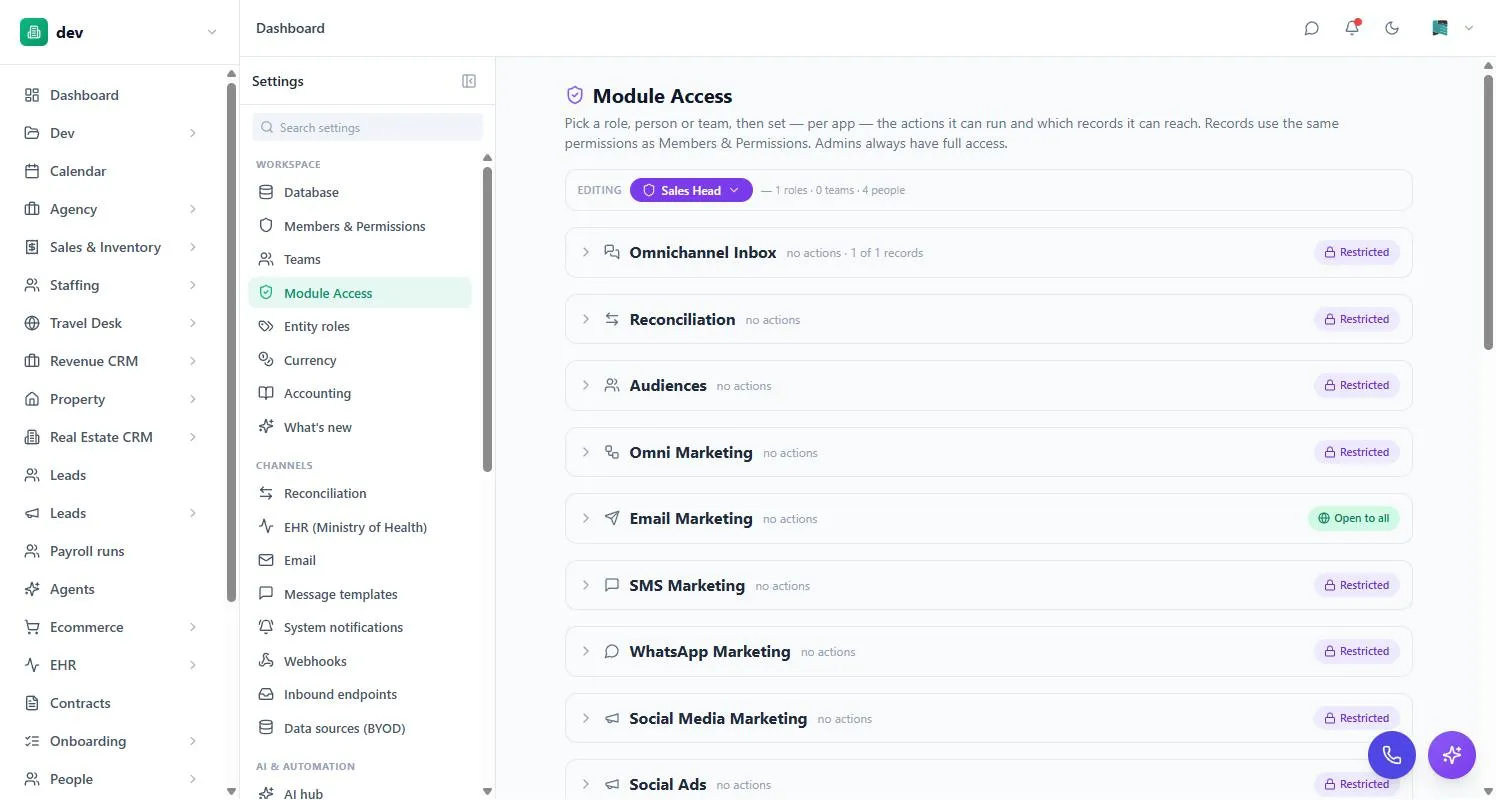
Each app is either Restricted — only people you’ve granted can open it — or Open to all. Expanding an app reveals the specific actions it supports, so you can allow someone to use the till without allowing them to void a sale, or to view stock without receiving it.
Actions that spend money or move stock start out admin-only until granted. Read-only actions such as running a report don’t, so a team member can use the app’s reporting without needing elevated rights.
Teams
Teams group people for ownership and routing — which branch, which department, which shift. They can be used as the subject of a grant, so access follows team membership. See Members, teams & seats.
A workable setup
- Start closedNew members should see very little. It’s much easier to add access on request than to discover months later that everyone could read payroll.
- Create roles that match real jobsNot org-chart titles — the actual jobs people do in the system.
- Grant to roles, not peopleReserve per-person grants for genuine exceptions.
- Set both systemsRecord permissions and module access for each role.
- Check it as they'd see itThe fastest sanity check is asking someone in that role what they can see.
When someone can’t see something
Work down this list — it’s almost always one of these:
- Do they have any grant on that entity? No grant means no access, not read-only access.
- Do they have View all, or only View own — and does the record have an owner?
- Is the app itself Restricted with no grant for them?
- Was the record shared with them but they have no grant on the entity? Sharing alone isn’t enough — they need a grant too.
- Is a specific field restricted rather than the whole record?
- Is the grant scoped to one view that they aren’t looking at?